Playing on Tesoro
Accounts and sign-in
Sign in with email or a wallet, and set up your profile.
One Account
Your Account is your single identity on Tesoro. Your Positions, Gemas, Match history and Backings all belong to the Account, not to a particular wallet. It holds one address for each chain family: one for Solana and one for Ethereum-style chains (Ethereum and HyperEVM).
Signing in
You can sign in with:
- Email. Tesoro creates a wallet for you, so you can play without installing anything.
- A wallet you already have. A Solana wallet such as Phantom, or an Ethereum-style wallet such as MetaMask.
You do not need to sign in to read these docs, the Help page, the landing page, or anyone's public Account page.
Your profile
Other Players see your profile on Match pages, the Lobby, Backing Requests and the Leaderboard. You can:
- set a display name and pick a gemstone animal picture, or
- show the .sol or .eth name of a wallet you attach, with a check mark, and use the .eth avatar as your picture.
Tesoro's pictures are animals cut like gemstones. There are no photos of people, so you are never asked to upload one.












Your public Account page
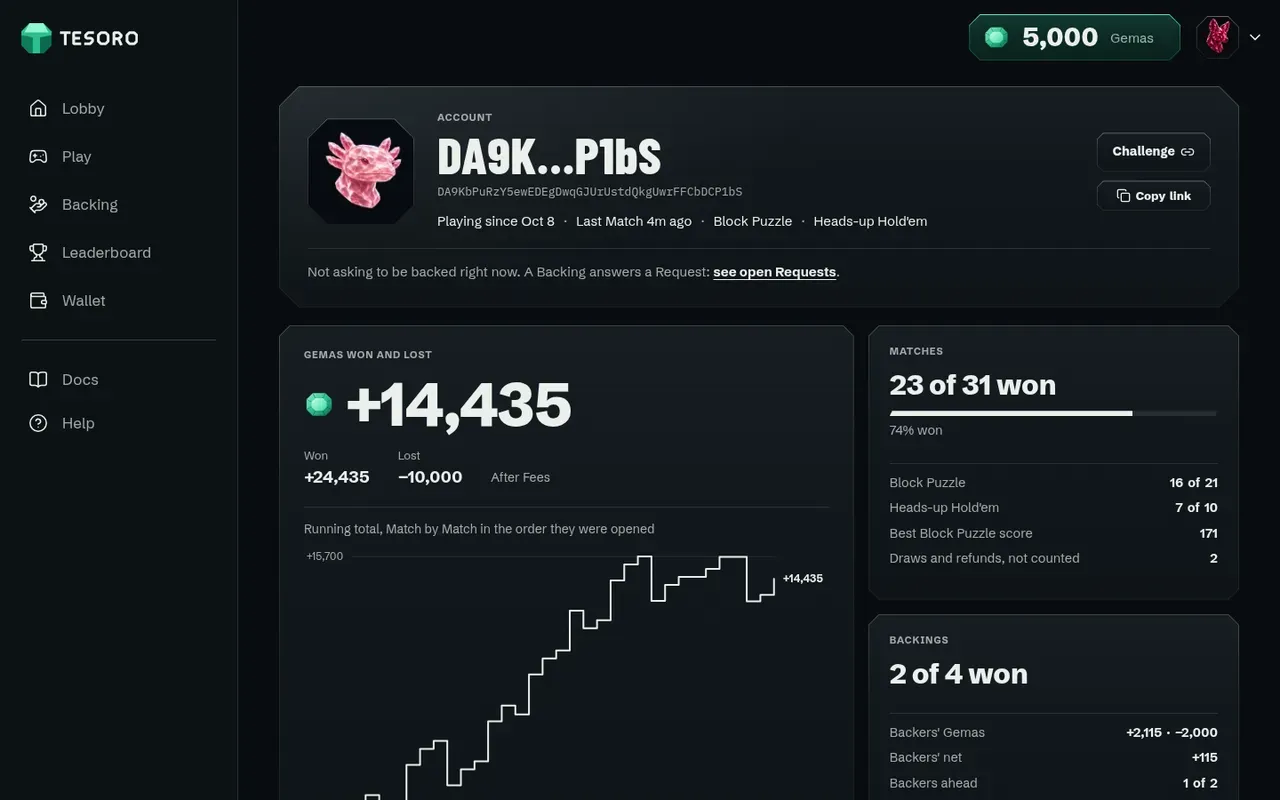
Every Account has a page at /account/<key> that anyone can open, signed in or not. It shows only what the Player played: how many Matches they won out of how many, the Gemas they won and lost, their Backings, and their Match history. It shows no balances, no Positions and nothing they did as a Backer. A Player can also use it to send a Challenge link.
Linking an Ethereum address
To open a Position on Ethereum or HyperEVM, your Account needs to know which Ethereum address is yours. You sign a short message with that address, and the signature is checked on chain, so nobody can claim an address that is not theirs and receive its Position or payouts. The app walks you through this the first time. See Chains.